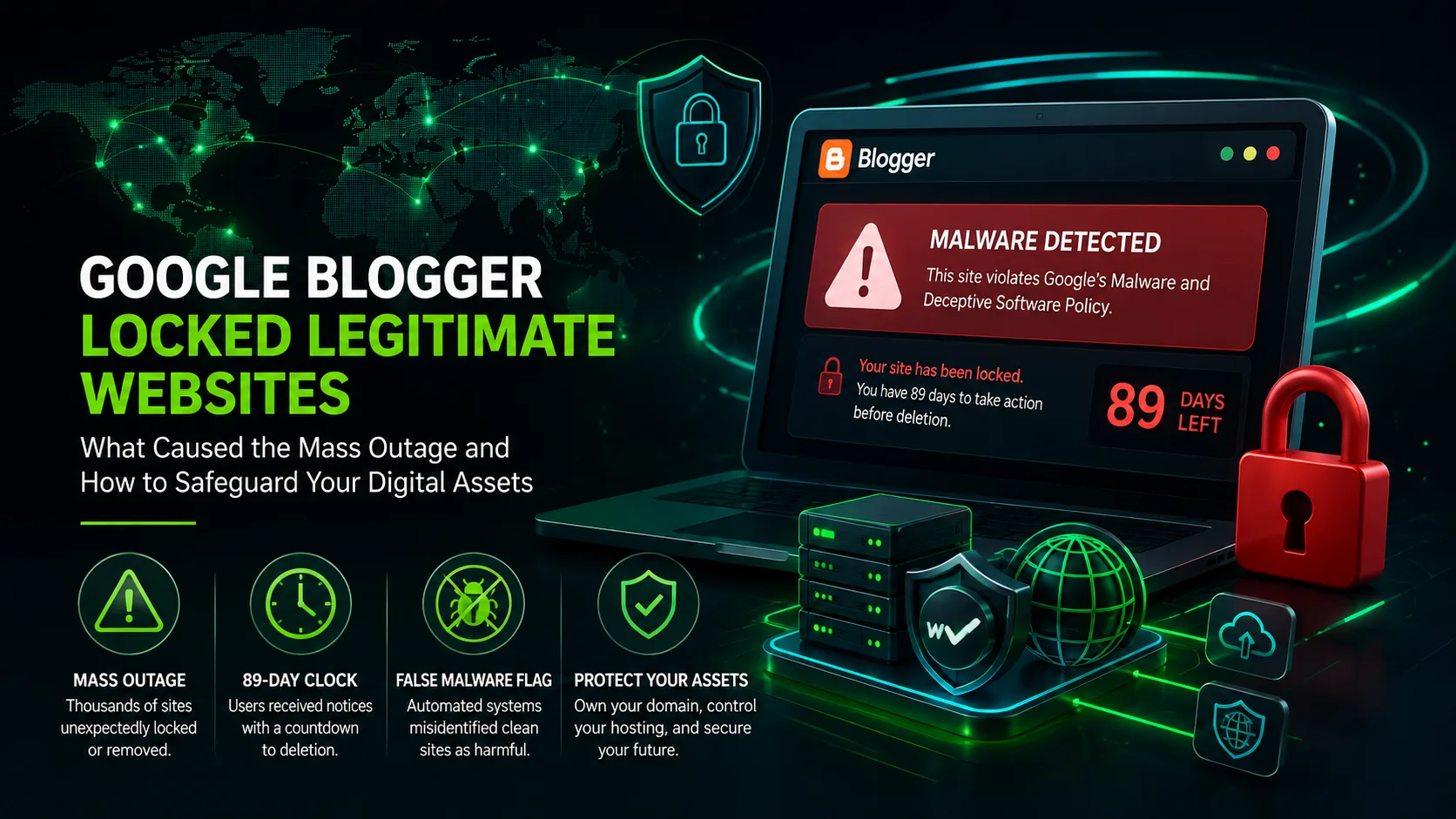
Thousands of content creators, independent publishers, and digital marketers experienced a sudden disruption on August 4, 2026. Without prior warning, legitimate websites hosted on Google’s Blogger platform were locked down or completely removed.
Affected users received automated notices citing violations of Google’s Malware and Similar Malicious Content policy. Dashboards featured a prominent red padlock alongside an 89-day countdown to permanent deletion.
       [ AUTOMATED CONTENT SCANNER ]
                    ?
                    ?
     [ Flags External Code & Scripts ]
                    ?
                    ?
      ?????????????????????????????
      ?  FALSE POSITIVE TRIGGER   ?
      ?????????????????????????????
                    ?
       ???????????????????????????
       ?                         ?
[ Dashboard View ]        [ Visitor View ]
 • Red Padlock             • "Blog Removed"
 • Generic Violations      • 404 / Unavailable
 • 89-Day Countdown        • Zero Security Alerts
This sudden enforcement action hit blogs that had been operating continuously for over a decade. Search Console and Safe Browsing reported no security issues, leaving owners without clear answers.
This post examines the technical breakdown of the August 2026 Blogger misfire, options for restoring locked sites, and strategies to prevent platform dependency from harming your digital footprint.
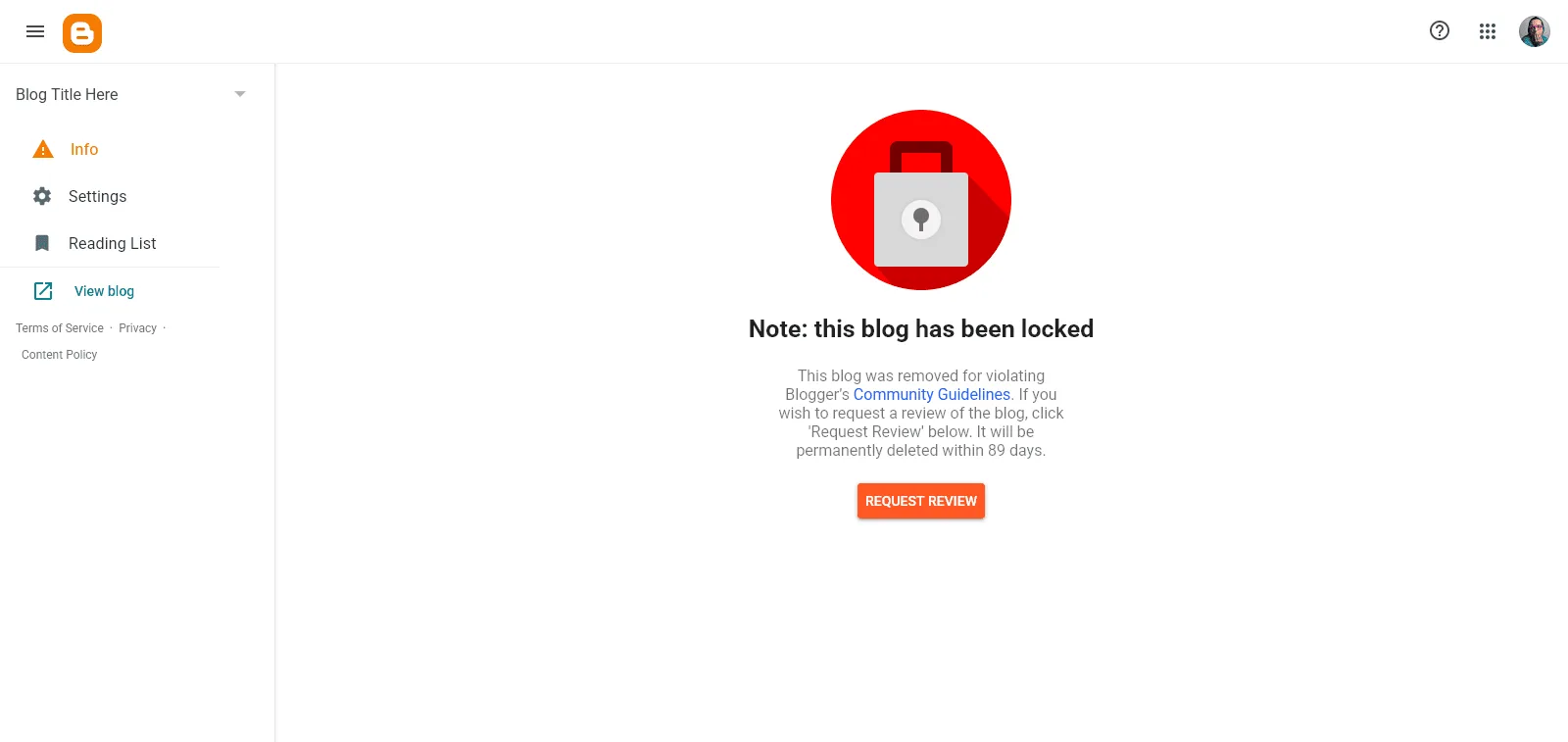
Source: Google Community
What Caused the August 2026 Google Blogger Outage?
The mass lockout began on the evening of August 4, 2026, triggering widespread reports across the Blogger Help Community and Reddit’s r/blogspot forum.
A support thread started by community member WebLovePL quickly accumulated hundreds of confirmations from affected blog owners globally.
+-----------------------------------------------------------------------+
| INCIDENT SUMMARY: AUGUST 2026 BLOGGER MALWARE MISFIRE                 |
+-------------------+---------------------------------------------------+
| Primary Trigger   | Automated content-scanning false positive         |
| Suspected Source  | Encrypted copyright scripts in third-party themes  |
| Official Stance   | Confirmed as a software bug by Google             |
| Time Active       | Approximately 24 hours                            |
| Target Range      | Active blogs across various operational ages      |
+-------------------+---------------------------------------------------+
Analysis by Blogger Product Experts, including forum moderator DarkUFO, indicated the issue stemmed from automated moderation errors rather than targeted security enforcement.
   Mass Outage Reported
     (Aug 4, Evening)
            ?
            ?
   Product Experts Alerted
     (False Positive Identified)
            ?
            ?
   Public Confirmation
     ("Bug" Statement to Press)
            ?
            ?
   Server-Side Rollback
     (Sites Restored Automatically)
The platform's scanning algorithms appear to have misidentified encrypted protection scripts inside third-party templates as obfuscated malware. These scripts are standard additions from popular template providers like Sora Templates and Gooyaabi to prevent unauthorized redistribution of their theme designs.
Who Owns the Photos on Your Website? A Complete Guide
Discrepancies Between Search Console and Blogger Enforcement
A primary point of confusion during this incident was the absence of matching security warnings in Google Search Console or Google Safe Browsing.
Normally, genuine security threats like back-button hijacking, web spam, or malicious software triggers actionable alerts inside Search Console. These reports detail infected URLs, compromised code blocks, and steps for remediation.
+------------------------+--------------------------+---------------------------+
| FEATURE                | STANDARD SECURITY ACTION | AUGUST 2026 BLOGGER OUTAGE|
+------------------------+--------------------------+---------------------------+
| Search Console Notice  | Detailed URL breakdown   | No security errors shown  |
| Safe Browsing Status   | Flagged as dangerous     | Marked clean / safe       |
| Dashboard Interface    | Specific policy link     | Generic padlock icon      |
| Diagnostic Guidance    | Direct code references   | No URL or timestamp data  |
+------------------------+--------------------------+---------------------------+
The system bypassed standard diagnostic reporting, replacing site dashboards with a general Community Guidelines violation warning and a Request Review button.
Step-by-Step Recovery Guide for Locked Blogger Sites
If your Blogger dashboard still displays a locked warning or red exclamation mark, follow these steps to submit an official review request.
       [ Log Into Blogger Dashboard ]
                     ?
                     ?
       [ Select Affected Blog Account ]
                     ?
                     ?
         [ Navigate to Info Tab ]
                     ?
                     ?
         [ Click Request Review ]
                     ?
                     ?
  [ Account Becomes Read-Only During Review ]
Step 1: Access the Correct Blog Account
Log into your main Blogger dashboard. If you manage multiple blogs under one Google account, click the blog selector in the left sidebar and locate the property flagged with a red exclamation icon.
Step 2: Open the Info Tab
Click on the Info tab in the left-hand navigation menu. Locate the notification box labeled: Note: this blog has been locked.
Step 3: Trigger the Manual Review
Click the Request Review button beneath the notice.
Important Note: Submitting a review request places your blog into a read-only state. Settings, post editing, and template adjustments remain locked until system validation completes.
How Much Does It Cost to Build a Website in India?
How to Export Your Data Using Google Takeout
When automated enforcement events occur, backing up content becomes an immediate priority. Google Takeout allows creators to retrieve site data, but exported files require careful handling.
+-----------------------------------------------------------------------------------+
| GOOGLE TAKEOUT BLOGGER EXPORT STRUCTURE                                           |
+-----------------------------------------------------------------------------------+
| Root Directory: Takeout / Blogger / Blogs / [Your Blog Name]                      |
| Primary Content Archive: feed.atom                                                |
| Media Directory: Contains all uploaded post images and asset files                |
| Target Compatibility: Importable into WordPress, custom CMS, or static builders  |
+-----------------------------------------------------------------------------------+
Steps to Download Your Backup
- Access Google Takeout while logged into your Google account.
- Deselect all products, then check the box for Blogger.
- Select your preferred export frequency and archive file format (.zip).
- Click Create Export and download the archive once generated.
Takeout/
??? Blogger/
    ??? Blogs/
        ??? [Your_Blog_Name]/
            ??? feed.atom  <-- Contains posts & comments in XML
            ??? Images/    <-- Contains uploaded media files
Check the generated feed.atom file after downloading. On blogs with several thousand posts, automated exports can occasionally truncate content, requiring multiple backup files to secure a complete dataset.
Why Hosted Platforms Expose Your Business to Risk
The August 2026 misfire highlights the vulnerabilities of relying on proprietary, closed-ecosystem platforms.
                  DEPENDENCY VS. OWNERSHIP

       CLOSED HOSTING                   SELF-HOSTED
  (Blogger, Wix, Squarespace)       (WordPress, Custom Development)
  ????????????????????????????    ????????????????????????????
  ? ? Automated Account Lock ?    ? ? Complete Code Access   ?
  ? ? Proprietary Data       ?    ? ? Direct Server Control  ?
  ? ? Zero Direct Support    ?    ? ? Portable Database      ?
  ? ? Sudden Outage Risks    ?    ? ? Independent Backups    ?
  ????????????????????????????    ????????????????????????????
When hosting on a free platform, the provider maintains root control over database access, publishing permissions, and domain routing. An automated moderation error can disrupt your web presence without direct recourse.
+-----------------------+---------------------------+---------------------------+
| OPERATIONAL METRIC    | FREE CLOSED PLATFORMS     | SELF-HOSTED ENTERPRISE    |
+-----------------------+---------------------------+---------------------------+
| Infrastructure Access | Closed dashboard only     | Full Root SSH / SFTP      |
| Content Ownership     | Subject to Terms of Use   | 100% Owned Digital Assets |
| Platform Migration    | Complex conversion feeds  | Seamless database dumps   |
| System Security       | Third-party automation    | Custom firewalls & WAF    |
+-----------------------+---------------------------+---------------------------+
Migrating to a self-hosted architecture built on custom software or open-source content management systems ensures full control over operational uptime, site data, and business longevity.
Take Full Control of Your Web Presence
Relying on free hosted platforms leaves your online operations vulnerable to automated locks, unexpected bugs, and sudden policy shifts. Protecting your digital footprint requires full infrastructure ownership.
At TenG Spectrum, we engineer custom websites, scalable e-commerce architectures, and advanced technical SEO strategies built on dedicated, self-hosted environments.
Our engineering team ensures your digital platform remains secure, fully portable, and operational without third-party interference.
Contact TenG Spectrum today to discuss migrating your digital assets to a private, enterprise-grade web environment designed for long-term growth.
25 Benefits of Building a Business Website in 2026
Frequently Asked Questions
Find quick answers to common questions about this topic