In today’s internet-driven world, hosting your website on a Virtual Private Server (VPS) gives you better speed, control, and performance.
But with greater control comes greater risk—especially from cyber threats like DDoS attacks.
DDoS (Distributed Denial of Service) attacks are among the most common and dangerous threats to VPS servers. If not protected, your site could slow down, crash, or be exploited—causing downtime, lost revenue, and damaged brand reputation.
In this blog, we’ll walk you through what a DDoS attack is, how it affects your VPS, and practical steps you can take to secure your server—even if you’re not a tech expert.
What Is a DDoS Attack?
A DDoS attack floods your server with an overwhelming number of fake requests or traffic from multiple sources (often infected computers called “botnets”). The goal is to:
-
Crash your server
-
Slow down your site
-
Prevent real users from accessing your services
DDoS attacks don’t usually steal your data—they disrupt your services, causing panic, customer loss, and operational setbacks.
Why Are VPS Servers a Target?
VPS servers are popular among businesses and developers because of:
-
Full root access
-
Dedicated resources
-
Affordable hosting scalability
However, this also makes them more vulnerable to attacks if you don’t secure them properly. Many users leave ports open, fail to update software, or overlook basic firewall setups.
How to Protect Your VPS from DDoS Attacks
Let’s break down the most effective server security practices to shield your VPS from DDoS threats:
1. Choose a Hosting Provider with Built-in DDoS Protection
The first line of defense is your hosting provider.
When selecting a VPS host, ensure they offer:
-
DDoS mitigation infrastructure
-
Automatic traffic filtering
-
Global CDN and edge routing
Popular providers like Cloudflare, AWS Shield, DigitalOcean Premium, and OVH offer DDoS-resistant services.
2. Install a Server-Level Firewall
A strong firewall is essential. It blocks suspicious IPs, ports, and traffic patterns before they reach your system.
Recommended tools include:
-
CSF (ConfigServer Security & Firewall)
-
UFW (Uncomplicated Firewall) for Ubuntu
-
Firewalld for CentOS
Configure your firewall to:
-
Allow only specific ports (like SSH, HTTP, HTTPS)
-
Limit traffic from unknown IPs
-
Block ping and suspicious protocols
3. Set Up Rate Limiting and Traffic Filtering
Prevent flooding by limiting how often a user can access your server.
Use Fail2Ban to:
-
Monitor logs
-
Automatically ban IPs with too many failed login attempts
You can also configure iptables rules to filter traffic by:
-
Country
-
Protocol
-
Request type
4. Use a CDN with DDoS Mitigation
Content Delivery Networks (CDNs) act as buffers between your server and external users.
Cloudflare, Sucuri, or Akamai offer DDoS filtering and Web Application Firewall (WAF) protection.
Benefits of using a CDN:
-
Hides your real IP
-
Absorbs malicious traffic at the edge
-
Reduces direct pressure on your VPS
5. Hide Your VPS IP Address
If attackers don’t know your VPS’s real IP, they can’t easily target it.
Tips to mask your IP:
-
Use reverse proxies (Cloudflare, Nginx reverse proxy)
-
Don’t expose your IP in DNS records
-
Avoid email headers or metadata leaking server IP
6. Monitor Your Server in Real-Time
Set up monitoring to detect unusual behavior before it's too late.
Tools to use:
-
Netdata – Real-time performance monitoring
-
Nagios or Zabbix – Network & traffic analysis
-
Logwatch – Daily email reports from server logs
When you catch spikes early, you can react faster.
7. Use Automatic Backups
DDoS attacks sometimes crash your system completely. Having a recent backup ensures you can restore quickly.
-
Use daily/weekly automated backup tools
-
Store backups on a separate location (external cloud or offline)
-
Make sure databases, configs, and web files are included
8. Enable Connection Limits
Limit how many simultaneous connections one IP can make. This reduces the chances of overwhelming your server.
Use:
-
Apache’s
mod_reqtimeout -
Nginx
limit_connmodule -
Fail2Ban or CSF rules
9. Update Your Server Regularly
Outdated software is a hacker’s playground.
Regularly update:
-
Operating system
-
Web server (Apache, Nginx)
-
PHP, MySQL, CMS (like WordPress)
-
Installed plugins or scripts
Automation tools like unattended-upgrades can help.
10. Educate Your Team & Clients
Even with great tech, human error is a huge risk. Make sure:
-
You and your team avoid clicking on malicious links
-
You don’t open unknown SSH ports
-
Clients follow basic cybersecurity hygiene
???? Below is a video that explains how DDoS attacks happen and what VPS security best practices you can follow to stay protected.
Signs That Your VPS Might Be Under DDoS Attack
Not sure if your server is under attack? Look out for:
-
Sudden spike in traffic from unknown IPs
-
Extremely slow website performance
-
Frequent server crashes or restarts
-
High CPU or RAM usage without reason
-
Log files showing repeated requests from same IPs
If you spot these symptoms, act immediately.
Pro Tips for Extra Server Hardening
-
Change your default SSH port (from 22 to something random)
-
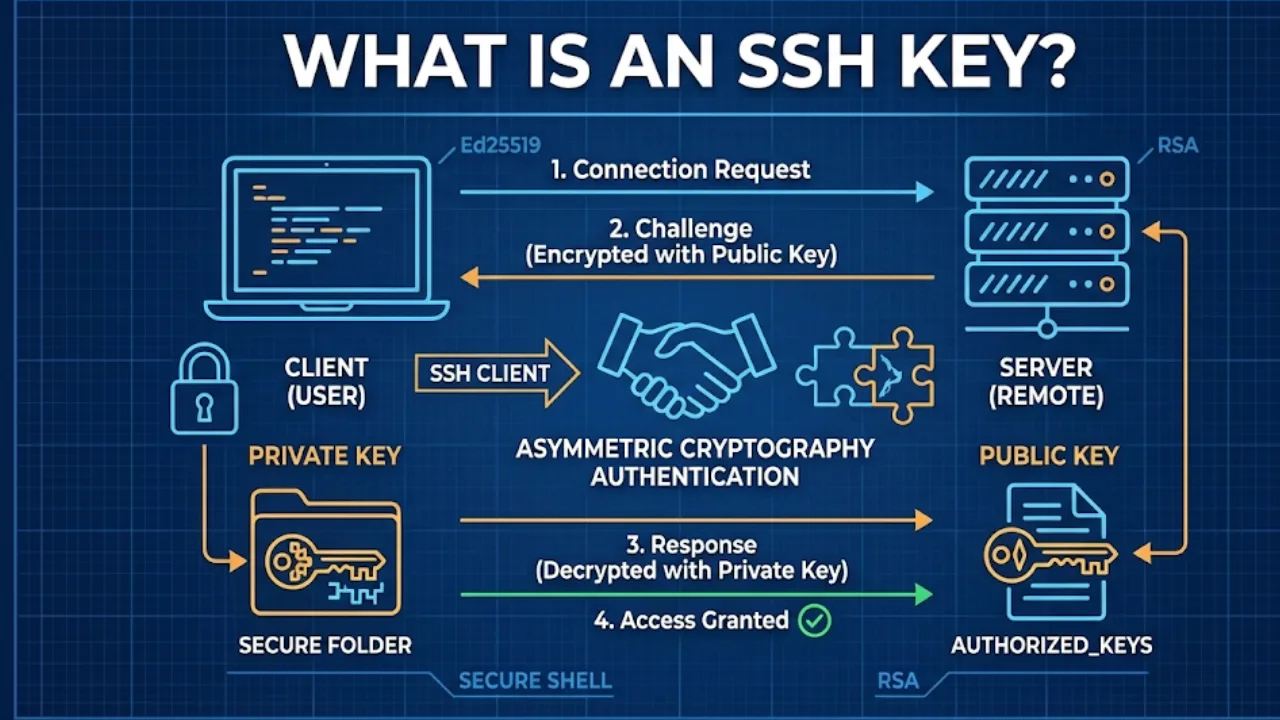
Use SSH key authentication instead of passwords
-
Set up 2FA for server login
-
Disable unused services like FTP, Telnet, or POP3
-
Disable root login and create sudo users
Securing your VPS from DDoS attacks is not just a technical task—it’s a business priority. A single attack can bring your services down and ruin your customer trust.
By using the tips and tools shared above, you can build a strong defensive shield and ensure your VPS runs smoothly, securely, and without costly interruptions.
Frequently Asked Questions
Find quick answers to common questions about this topic